
Practice the conversation before it counts.
Learners rehearse the hard calls with AI customers, buying committees, and colleagues, by text, voice, camera, and screen share. Then they get coaching that points to the exact moment it came from.
Knowing is not the same as doing
Most training stops at knowing. A rep watches the objection-handling video, passes the quiz, and walks into a renewal call where the CFO interrupts them twice in the first minute. Nothing in the course prepared them for that, because nothing in the course talked back.
Skills like discovery, negotiation, and hard feedback are built the way any skill is built: by doing them, getting specific feedback, and doing them again. Role play makes that loop cheap enough to run every week, private enough that people actually try, and honest enough that the feedback is worth reading.
Someone who pushes back
A quiz can tell you whether a rep knows the refund policy. It cannot tell you whether they can hold that policy while an upset customer talks over them. That only shows up in the conversation itself.
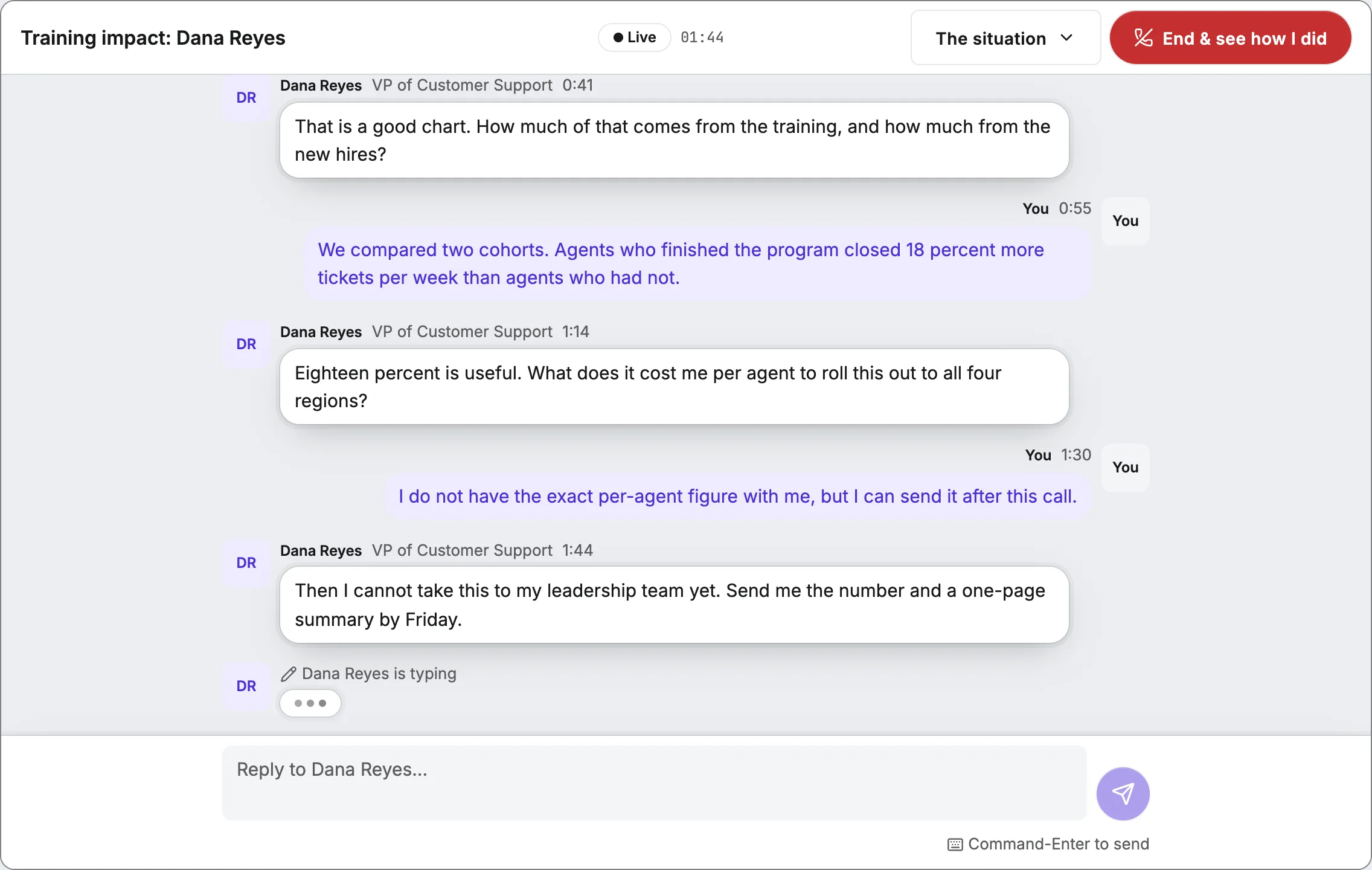
Each scenario puts the learner across from a character with a goal of their own, a reason to resist, and a memory of everything said so far. Learners type or talk, on a laptop or a phone, and the character answers the way a real person in that seat would.
- Text or live voice, chosen when the run starts
- Characters stay in role and react to what the learner actually says
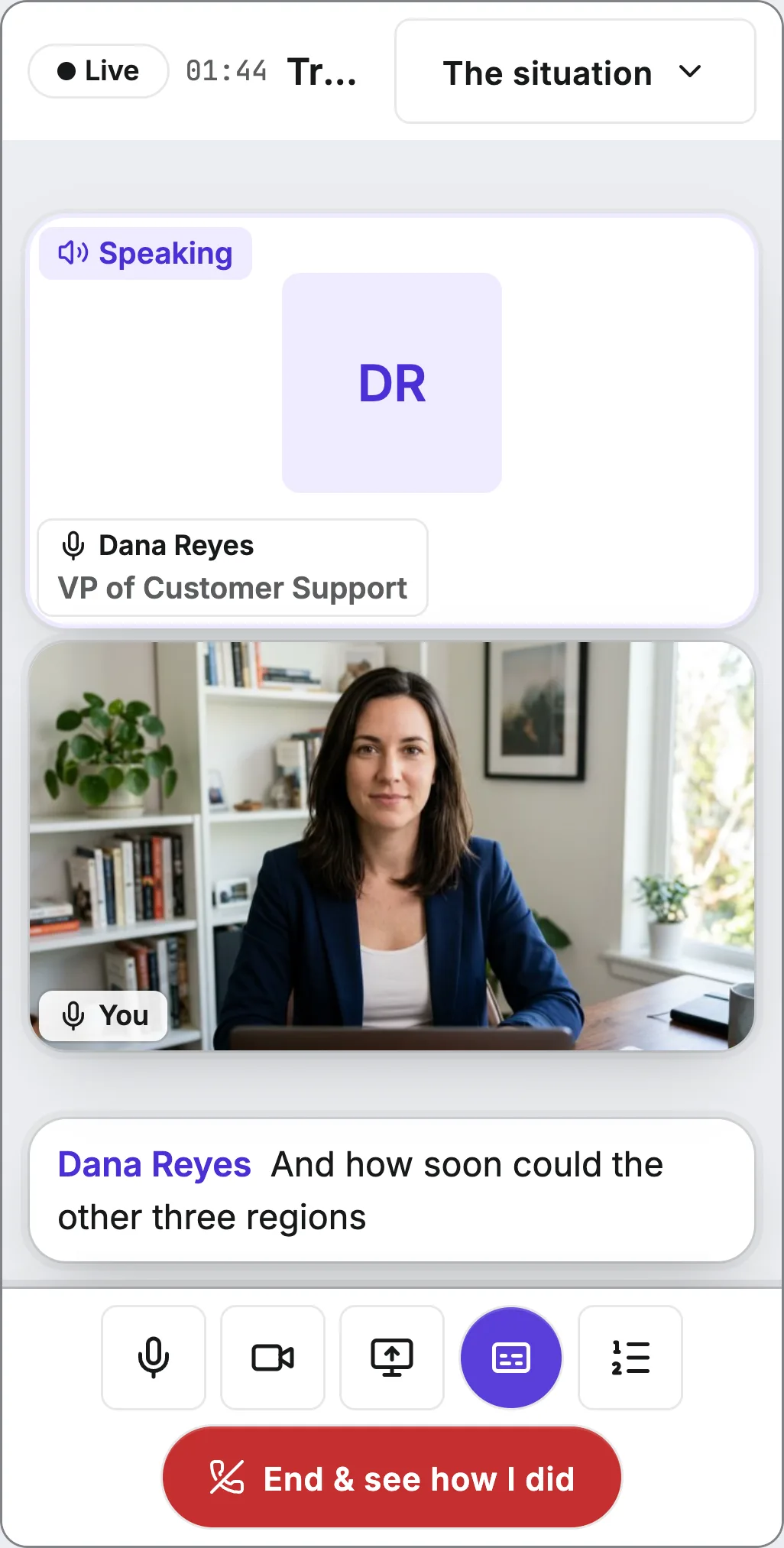
- Text and voice runs work on a phone as well as a desktop
The whole room, not one bot
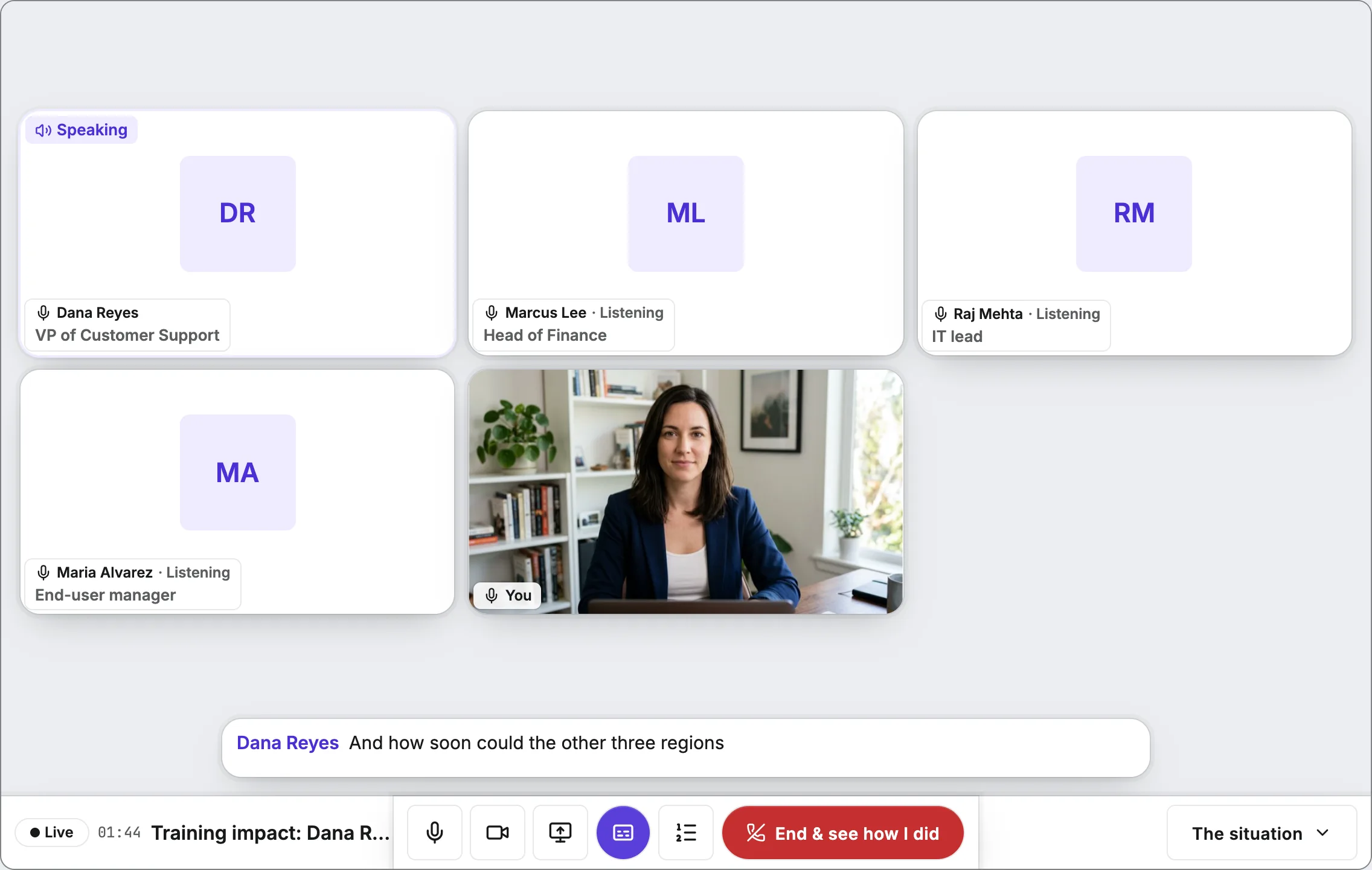
Real deals are rarely decided by one person. A renewal call can have a CFO watching cost, an IT lead watching security, and a manager who has to get forty people to use the thing.
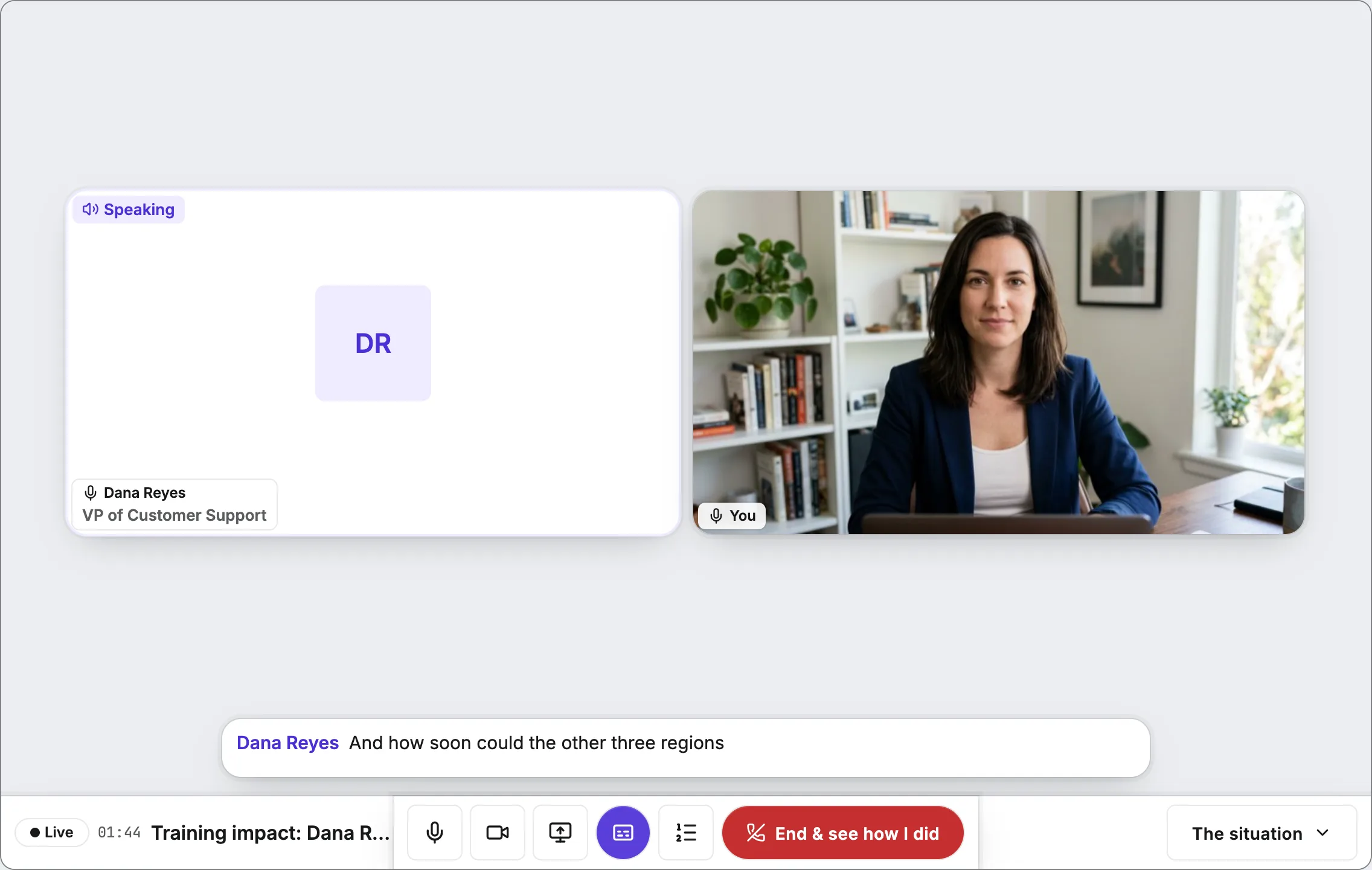
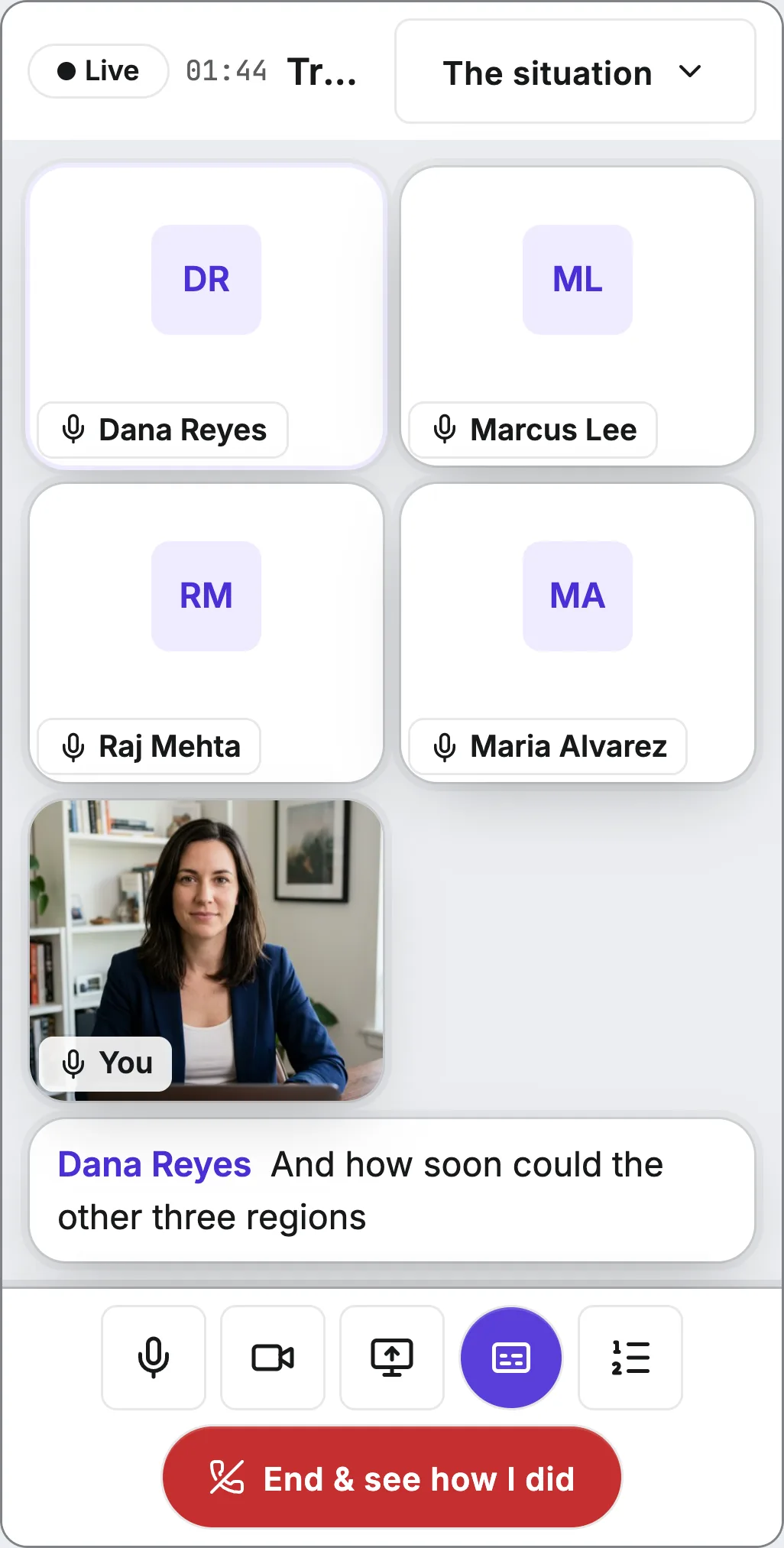
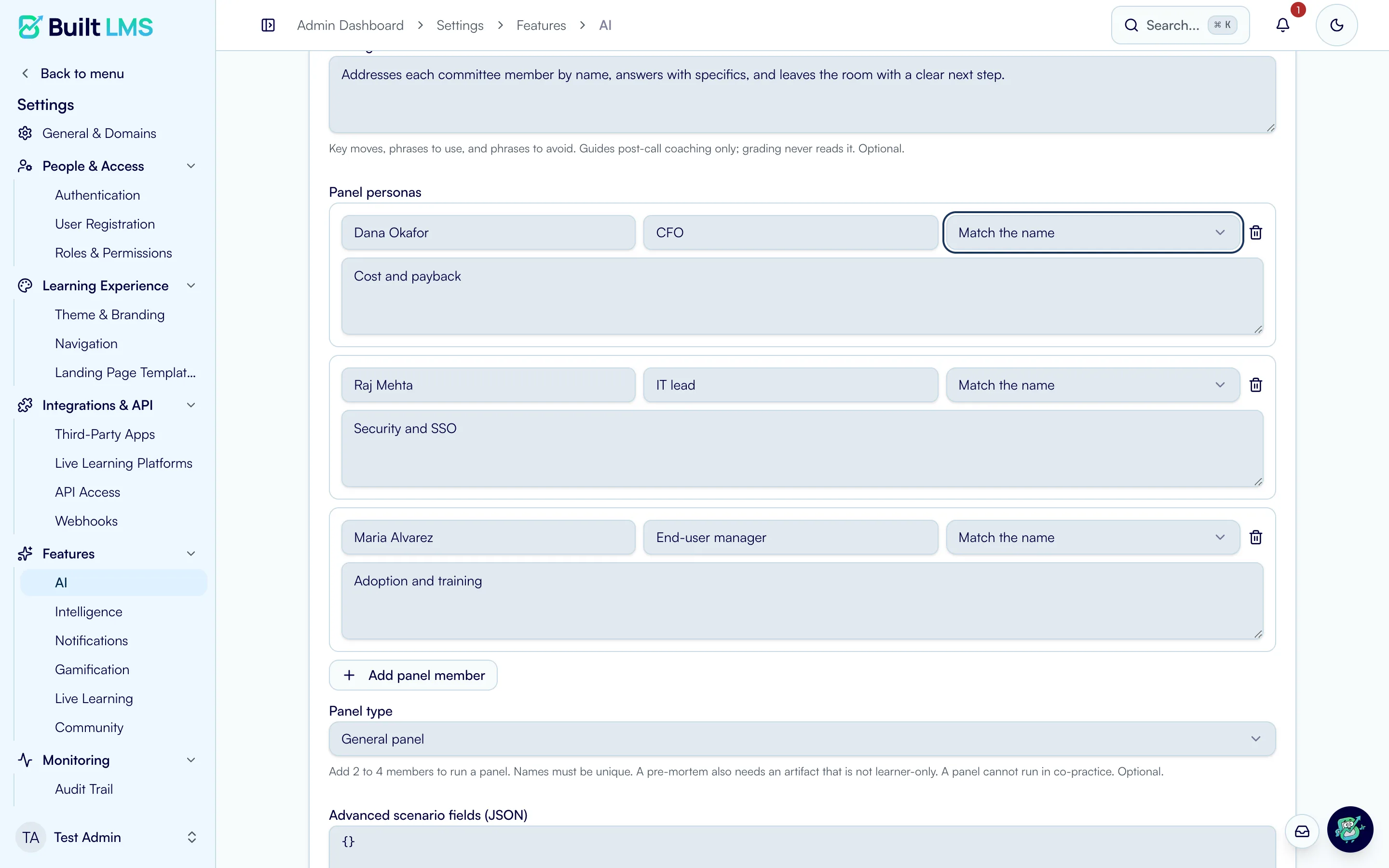
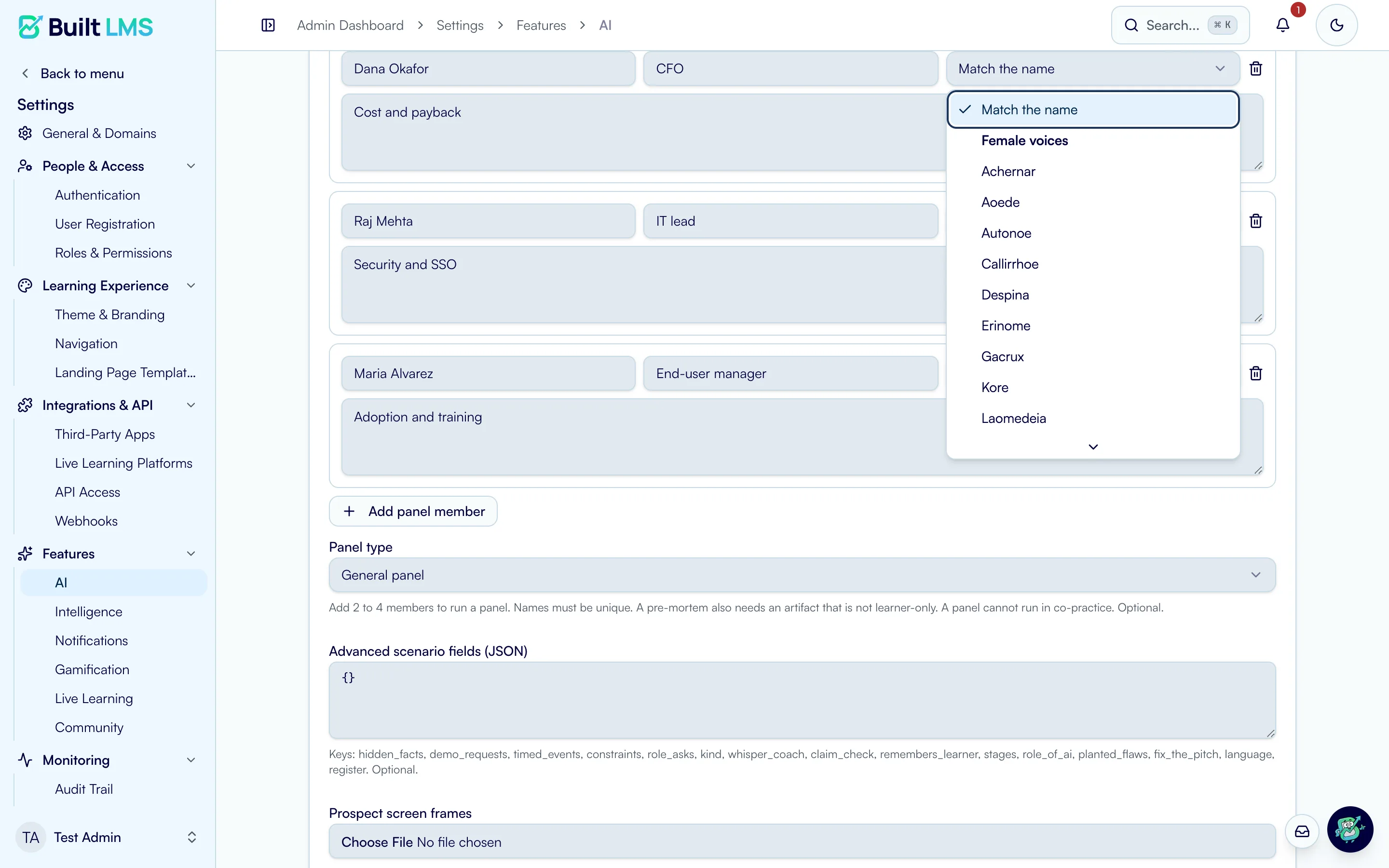
Panels put up to four characters in one call. Each one has its own priorities and its own voice, and they take turns the way people in a meeting do. Nobody answers anybody else, so the learner has to run the room: name who they are speaking to, and close every open question before the call ends.
- Up to four characters in one call, each with distinct priorities
- Every character speaks in a voice that fits their name
- Turn-taking keeps the floor with the learner
Practice with a colleague
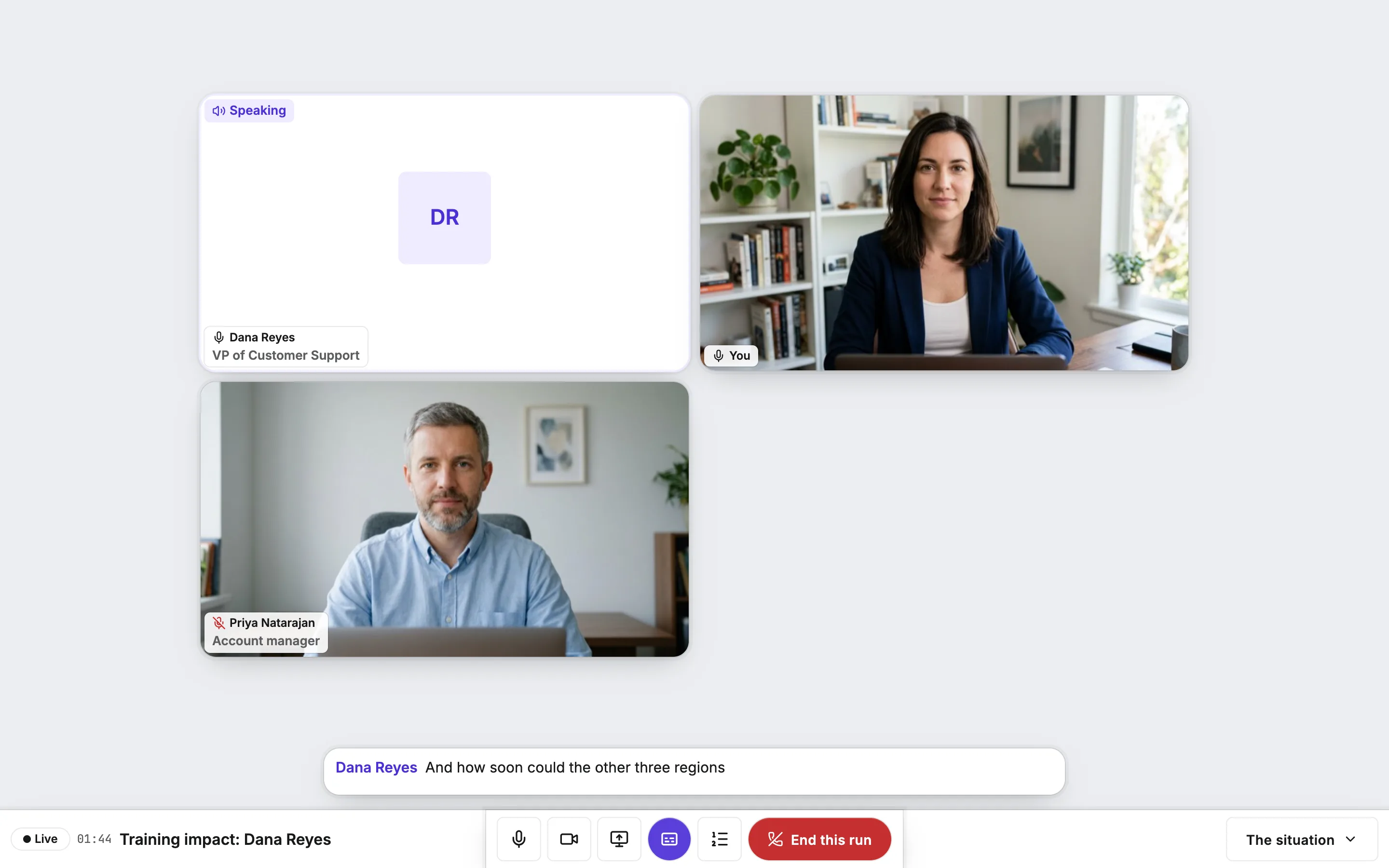
Some skills are easier to build with another person in the room. Learners can invite a teammate by name or with a link, then take on the same scenario together, by text or voice, from two devices or two cities.
Each person keeps a role, so a rep and their sales engineer can rehearse the call they have next week, with the AI playing the customer. Or the AI can step out of the scene entirely and judge, while two colleagues practice on each other.
- Invite by name or share a link
- Each person holds a role, shown next to their name in the call
- Peer practice with an AI judge, and no AI character at all
Show the product, not a slide about it
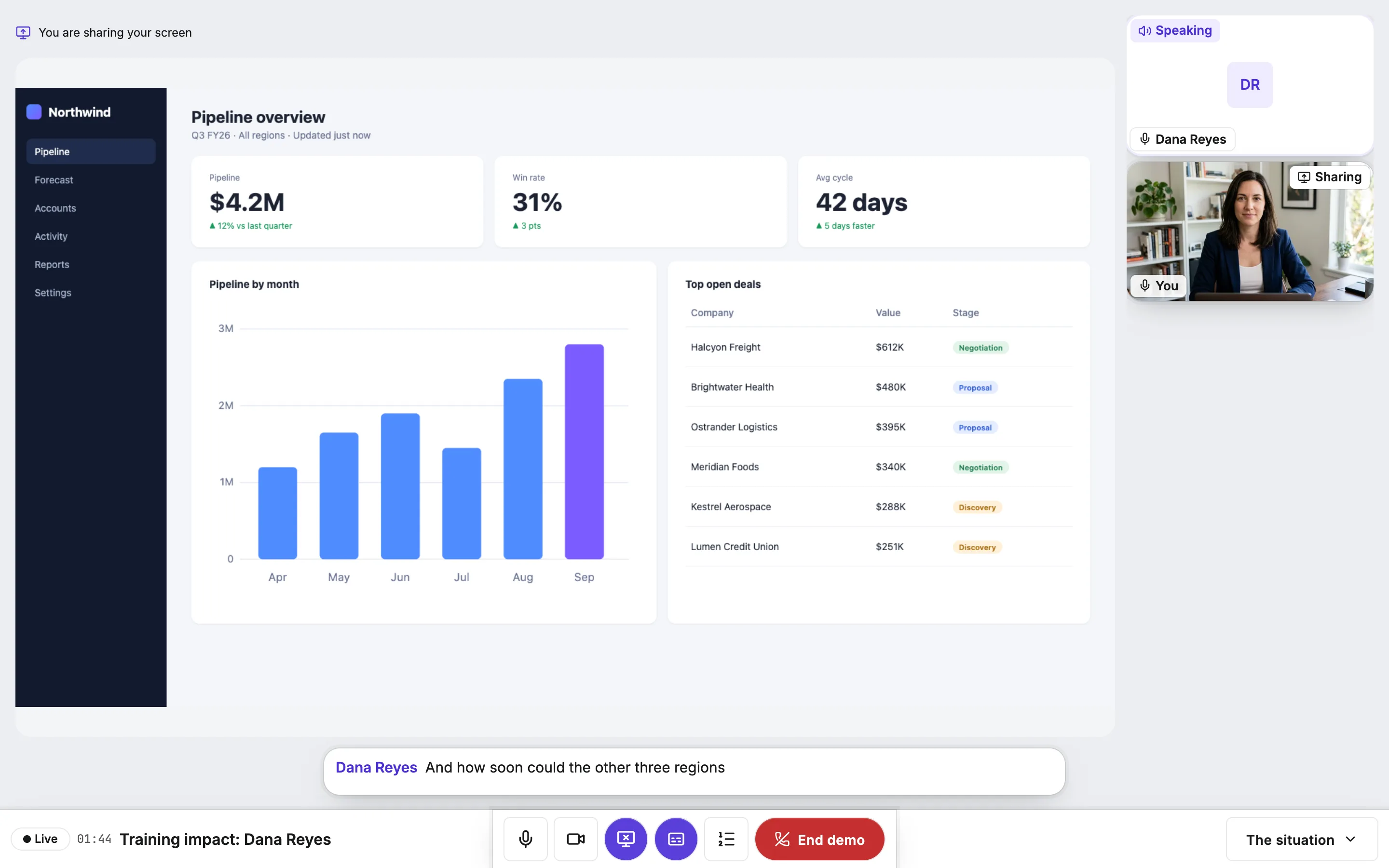
Some conversations are mostly show and tell. In demo practice, the learner turns on their camera, shares their screen, and walks an AI prospect through the product. The prospect watches what is on the screen and asks about it, the way a real buyer would. Colleagues can join as attendees.
It also works the other way around. In a fix-the-pitch scenario, the AI is the seller and shares its own screen, and somewhere in the pitch are mistakes the author planted. The learner has to catch them, on the screen or in what was said, and explain what is wrong.
- Webcam and screen share, with attendees in the room
- The prospect sees the shared screen and asks about it
- Fix the pitch: find the planted mistakes in a pitch the AI gives
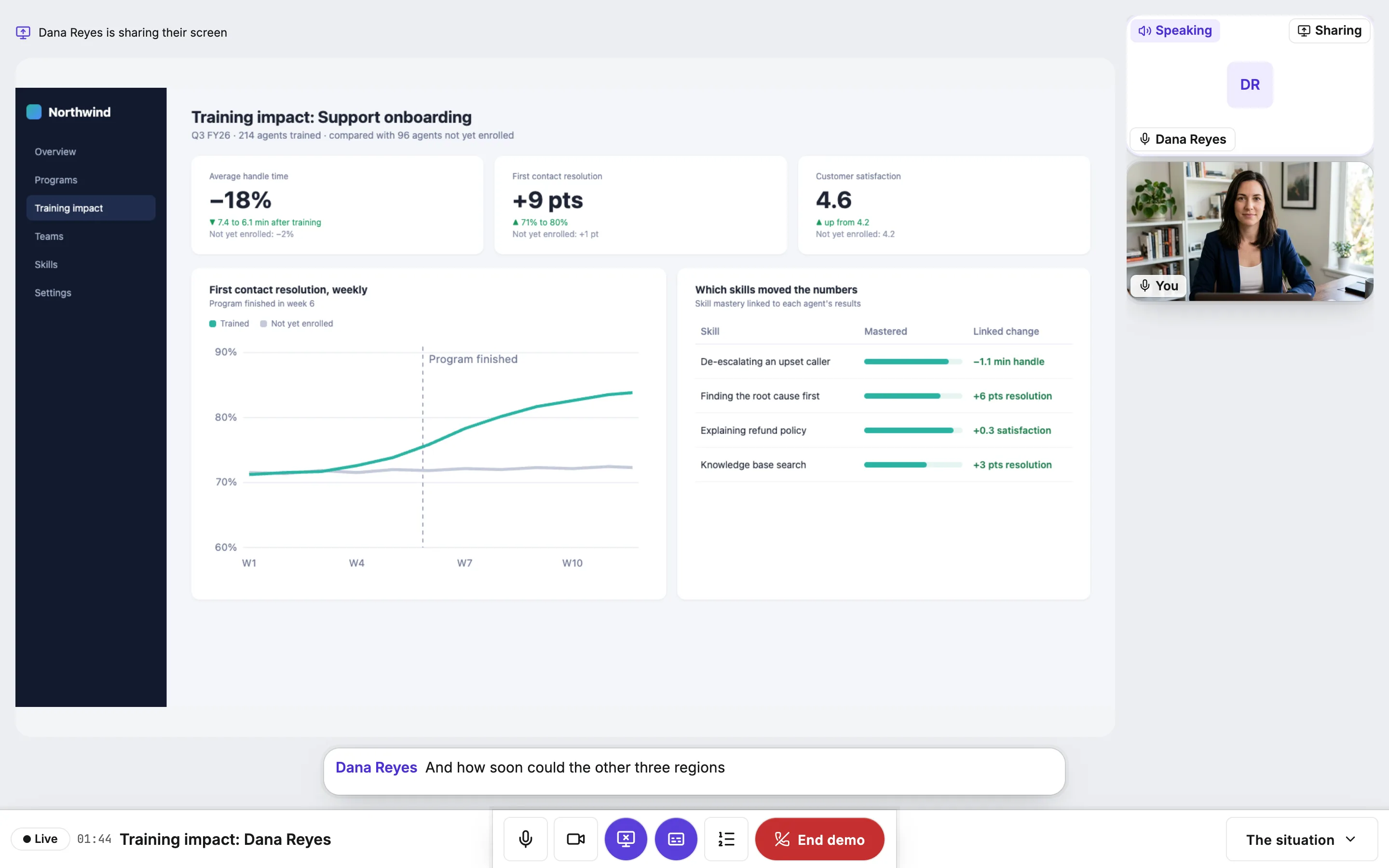
Feedback you can check
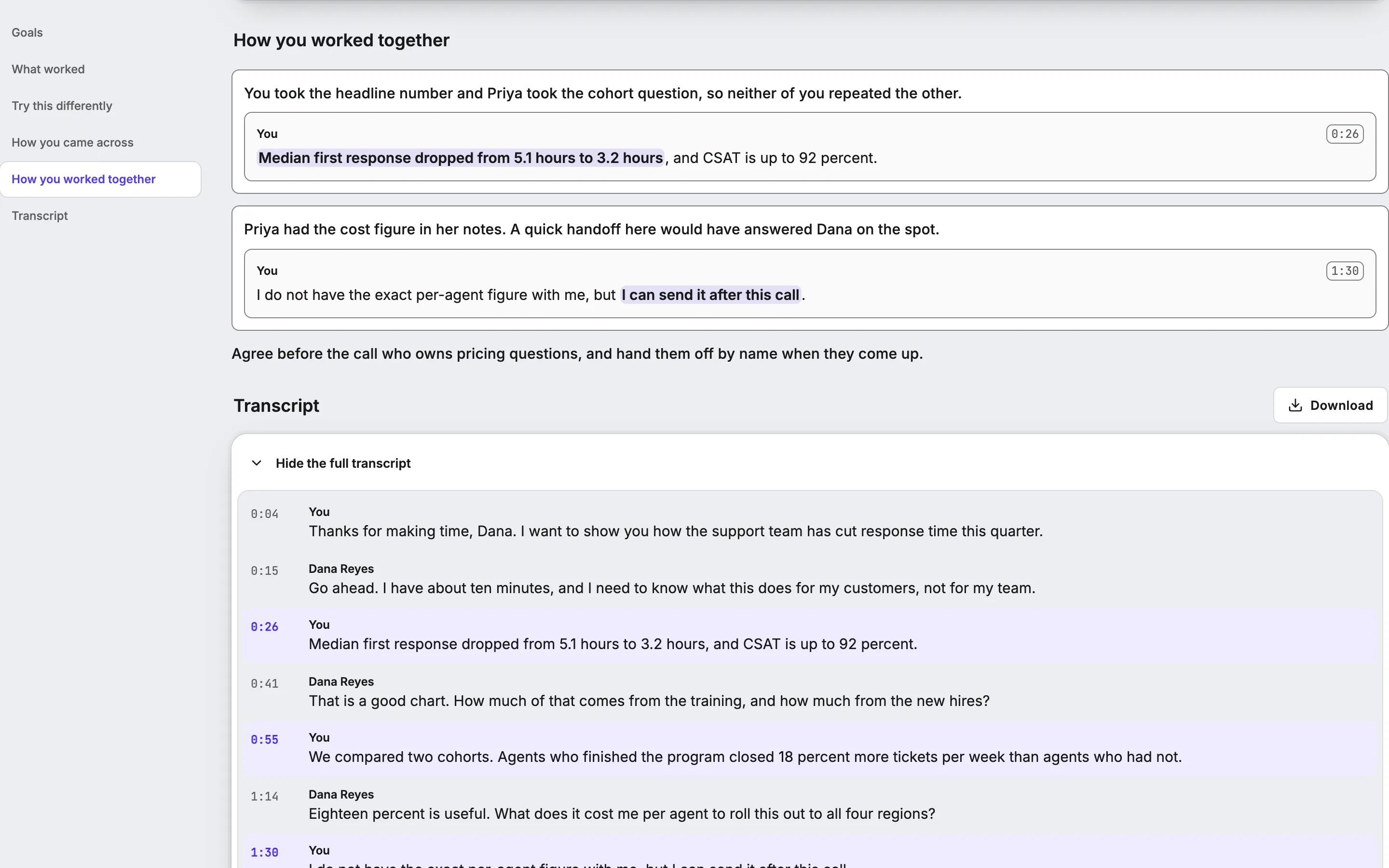
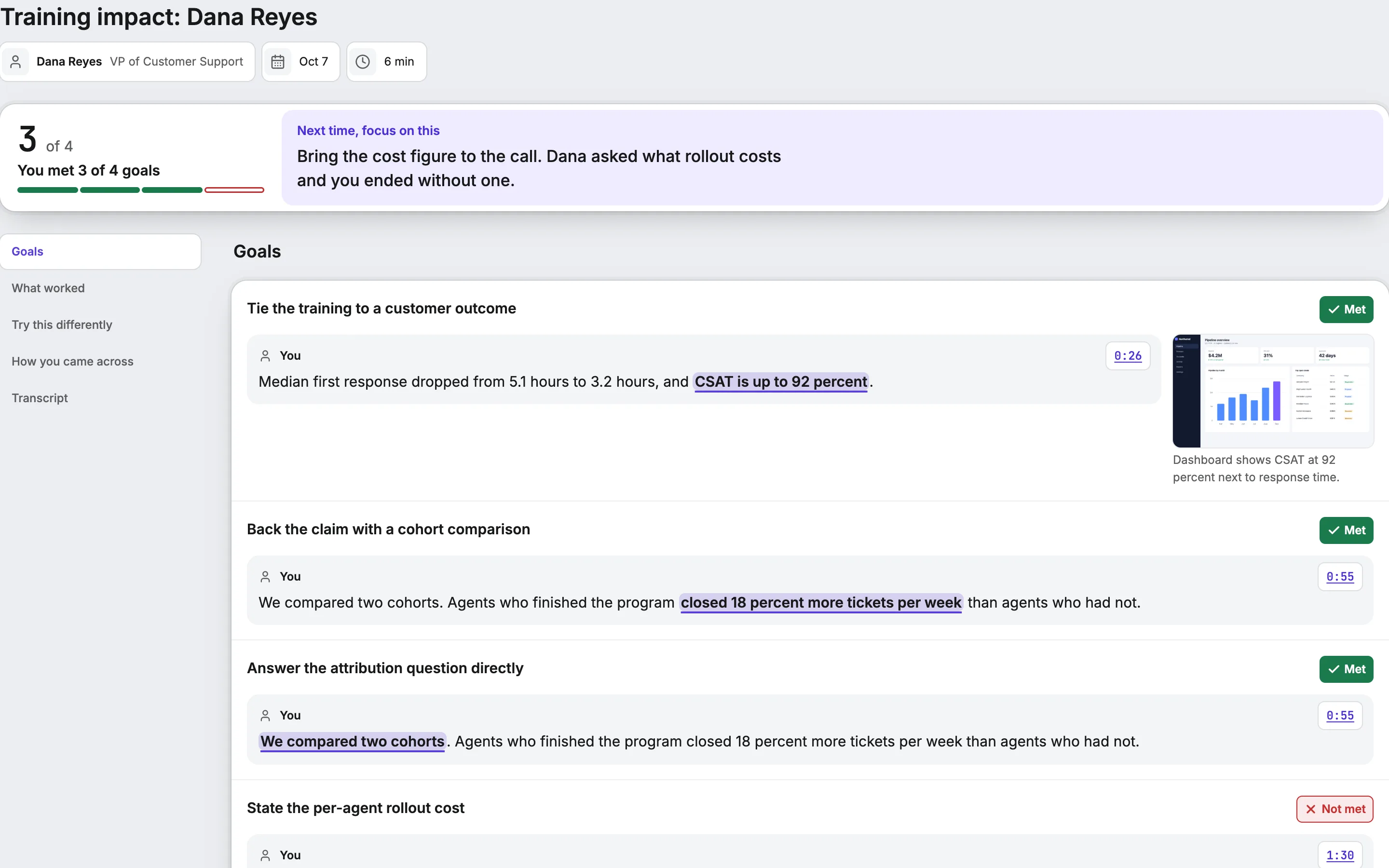
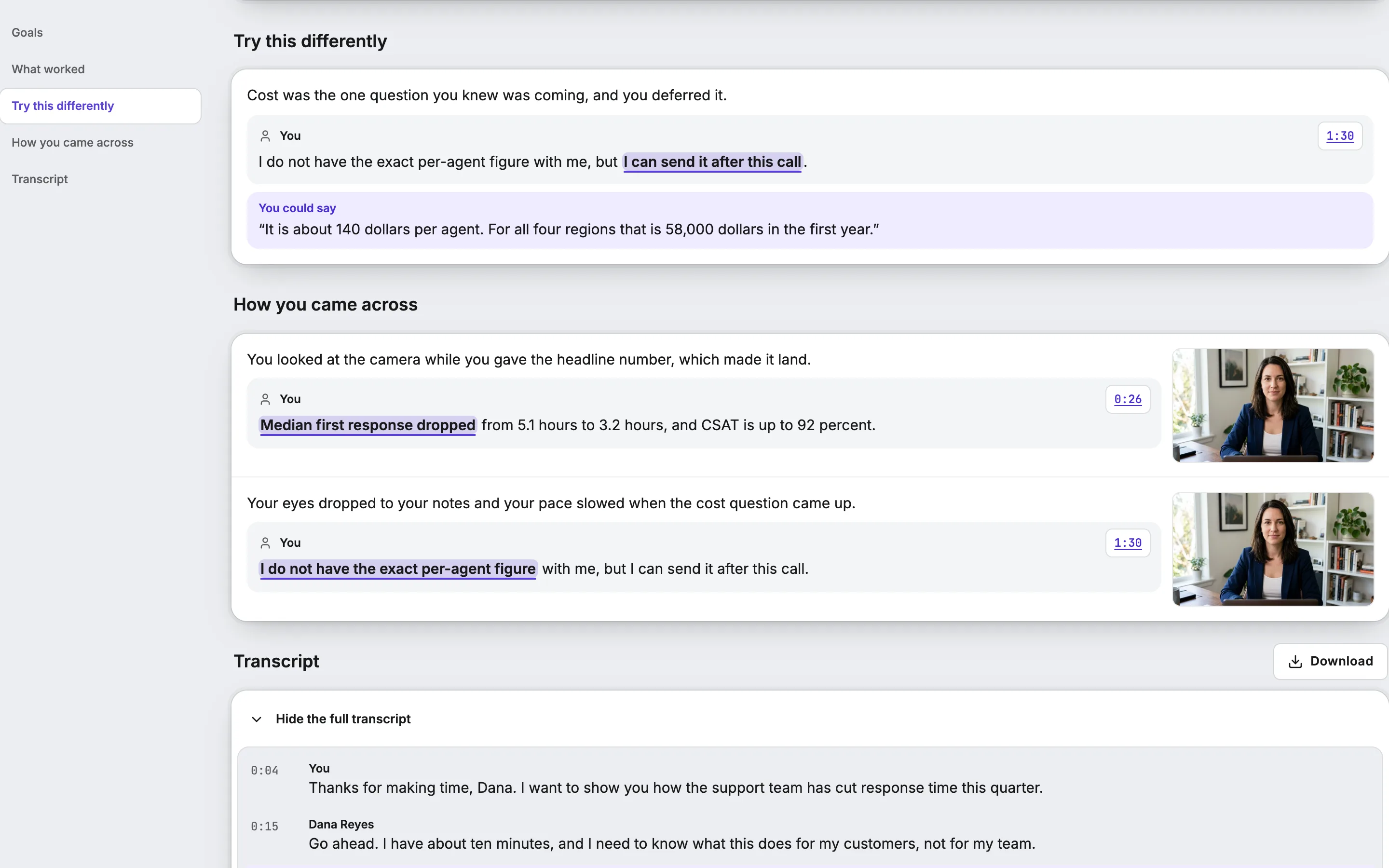
Generic feedback is easy to ignore. "Work on discovery" gives a learner nothing to do on Monday. So every point of coaching here is tied to a specific moment: the line they said, or the frame of the screen they were showing. One click plays it back.
Grading and coaching are kept apart on purpose. Goals are judged against the scenario author’s rubric, and only that judgment counts toward mastery. Coaching, including how the learner came across on camera and voice, is there to help them improve, and it never becomes a score.
- Every coaching point cites the moment it came from
- Goals the learner never reached are kept separate from goals they missed
- How they came across on camera and voice, as coaching, never as a grade
Your scenarios, your standard
The people who know what a great call sounds like are the ones running your teams. Scenarios are written in plain language: who the learner is talking to, what that person wants, and what a strong performance looks like.
Authors can add panel members, pick a voice for each character or let the voice follow the name, attach the screens an AI seller will share, and record an example run that shows the standard. Scenarios can live inside a course, or learners can find them on their own.
- Plain-language scenarios, panels, and planted mistakes
- Pick each character’s voice, or match it to the name
- An example run and your own playbook guide the coaching
Every kind of practice
These are the formats an author can build today. One scenario picks one format, and a course can mix as many as it needs.
- Text, one on one
- The learner types to one AI character. Available on any device, with no microphone needed.
- Voice, one on one
- A live spoken call with one AI character. The character can look up course content and ask the learner how confident they are.
- Panel: buying committee
- Two to four characters on one call, each with its own name, role, priority, and voice.
- Panel: pre-mortem
- The same panel format, set up as a pre-mortem.
- Co-practice with an AI character
- Two colleagues share one scenario with an AI playing the other side. Each person holds a role with its own brief.
- Co-practice with an AI judge
- Two colleagues practice on each other. The AI plays no character and judges the exchange against the rubric.
- Demo
- The learner presents on camera and shares their screen to an AI prospect. Colleagues can join as attendees.
- Fix the pitch
- The AI gives a pitch and shares its screen. The author plants five mistakes, some in what is said and some on the screen, and the learner has to find them.
- Examiner
- The character probes with follow-up questions that adapt to each answer, and a stopping rule decides when it has heard enough.
- Drill
- A short rep capped at two minutes.
- Exam role play
- A role-play question inside a proctored exam. An interrupted run is held for review and is never scored as if it finished.
What an author can tune
Any format can be tightened or loosened with these settings, so the same skill can be practiced at a beginner’s pace or under real pressure.
- Difficulty tier
- Foundational, proficient, or expert.
- Adversary intensity
- Low, moderate, or high pushback from the character.
- Register
- Formal, direct, indirect, or hierarchical, so a scenario can match how a culture or a boss actually talks.
- Hidden facts
- Information the character holds back until the learner asks the right question.
- Timed events
- A new fact or complication that lands partway through the call.
- Constraints
- A time limit, forbidden phrases, a cap on turn length, or a limit on how many offers the learner can make.
- Character memory
- A character can remember the learner from earlier runs.
- Live coach
- An optional whisper coach that nudges the learner during the call. It is never used in exams.
- Language and voice
- Any language the scenario is written in, with 30 named voices to choose from.
- Rubric
- Objectives with criteria that are graded automatically or by a person, judged on speech, on screen, or on both.
How it works
Every run happens in a live room. The characters hear the learner and answer in real time. Alongside them, a separate listener follows every voice in the room and writes down who said what and when, and keeps periodic still frames of anything on camera or on a shared screen.
When the run ends, the transcript is graded against the scenario’s goals, with each verdict tied to the lines and frames that support it. Coaching is written from the same record. The mastery result goes to the learner’s profile, and the coaching goes to the learner.
The live room
- Learners talk, type, show their camera, and share screens
- Characters answer in real time, one at a time
The listener
- Writes down who said what, and when
- Keeps still frames from cameras and shared screens
Grading
- Each goal judged against the author’s rubric
- Every verdict cites the lines and frames behind it
Coaching
- What to focus on next time, and what worked
- How the learner came across, never as a score
Goes to the record. Only the graded goals count toward mastery.
Goes to the learner. Coaching links back to each moment, so they can replay it and try again.
The stack
- Live conversation
- The characters run on Google Gemini Live, which takes in the learner’s audio and speaks back in the same stream. There is no separate text-to-speech step. Voice runs use LiveKit for real-time audio and video over WebRTC, and a Python agent built on LiveKit Agents plays each character.
- Avatars
- AI characters are voice only today. The stack can give them a live video face through LiveAvatar, but the cost per minute is high, so we have not turned it on.
- Turn-taking
- Solo calls use Gemini’s own speech detection. Demo and panel calls use manual floor control, so characters take the floor in turn.
- Transcript
- A second agent joins each room without publishing audio. It runs Google Cloud Speech on each learner’s own audio track, so every line is attributed to a person by construction, and it uses Google’s word timings to place each word on the timeline.
- Audio cleanup
- Each learner track passes through a noise suppressor. It reduces background noise. It does not isolate a voice, so a TV in the room is turned down and not removed.
- Camera and screen
- The evaluator saves still frames from the camera and from a shared screen. During demos, a face landmark model reads the presenter’s delivery from the camera. It feeds coaching only.
- Grading
- After the call, Gemini grades the transcript against the author’s rubric. Each verdict cites the lines and frames behind it. Only this result counts toward mastery.
- Coaching
- Coaching is a separate pass over the same record. Each point links to a moment, and none of it becomes a score.
- Storage
- Runs, turns, events, coaching, and scenario versions live in a Postgres database. Frames sit in private storage buckets and are purged on a schedule.
- Limits
- Co-practice rooms count humans only, three by default, and AI characters do not take a seat. Voice has a per-organization quota and an admin kill switch. Text is always available when voice is not.
Give your team a place to practice
Bring one real conversation your team struggles with. We will build it into a scenario with you.